VNC Setup and Notes
VNC Server Setup
We use Tight VNC for our VNC Server. You can download it from here: https://www.tightvnc.com/download.php TODO - document how to install and configure
VNC Client Setup
We use RealVNC Viewer for our VNC Clients.
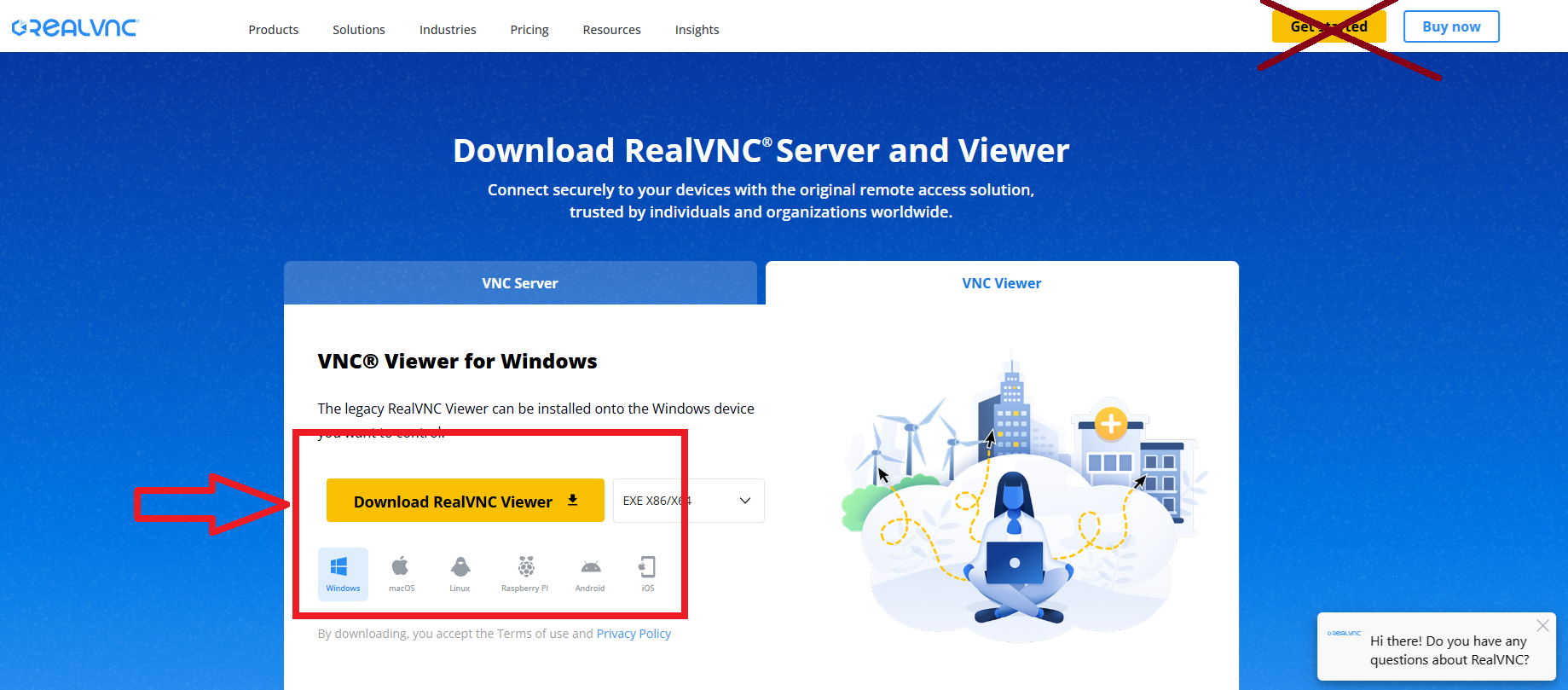
- Go to the RealVNC Viewer download page
- DO NOT DOWNLOAD WITH THE "Get Started/Download" button in the site's navbar.
- Select your distro (Windows, macOS, Linux, etc.) and then click "Download RealVNC Viewer" as seen in the screenshot: