Issues With Collimator Foundation Blocks
Python Script
- If you read integer values from CSV using a python script block, sometime you will have to use float(values) to convert it to float to do the operation to not getting an error saying that the value is not an int or float.
Unit Delay
The delay is based on the Global discrete clock tick when using the unit delay to get the previous time step value. For example, if you set the Global discrete clock tick = 0.5. From time = [0,0.5), the output from the unit delay block is equal to the initial state value, and from time = [0.5,1), the output from the unit delay block is equal to the state output at time =0.5.
If we want to use the unit delay to get the previous state variable to calculate the reaction rate, we will have to set the Global discrete clock tick small enough that the output during the intermediate time step is close to the output at each global discrete clock tick.
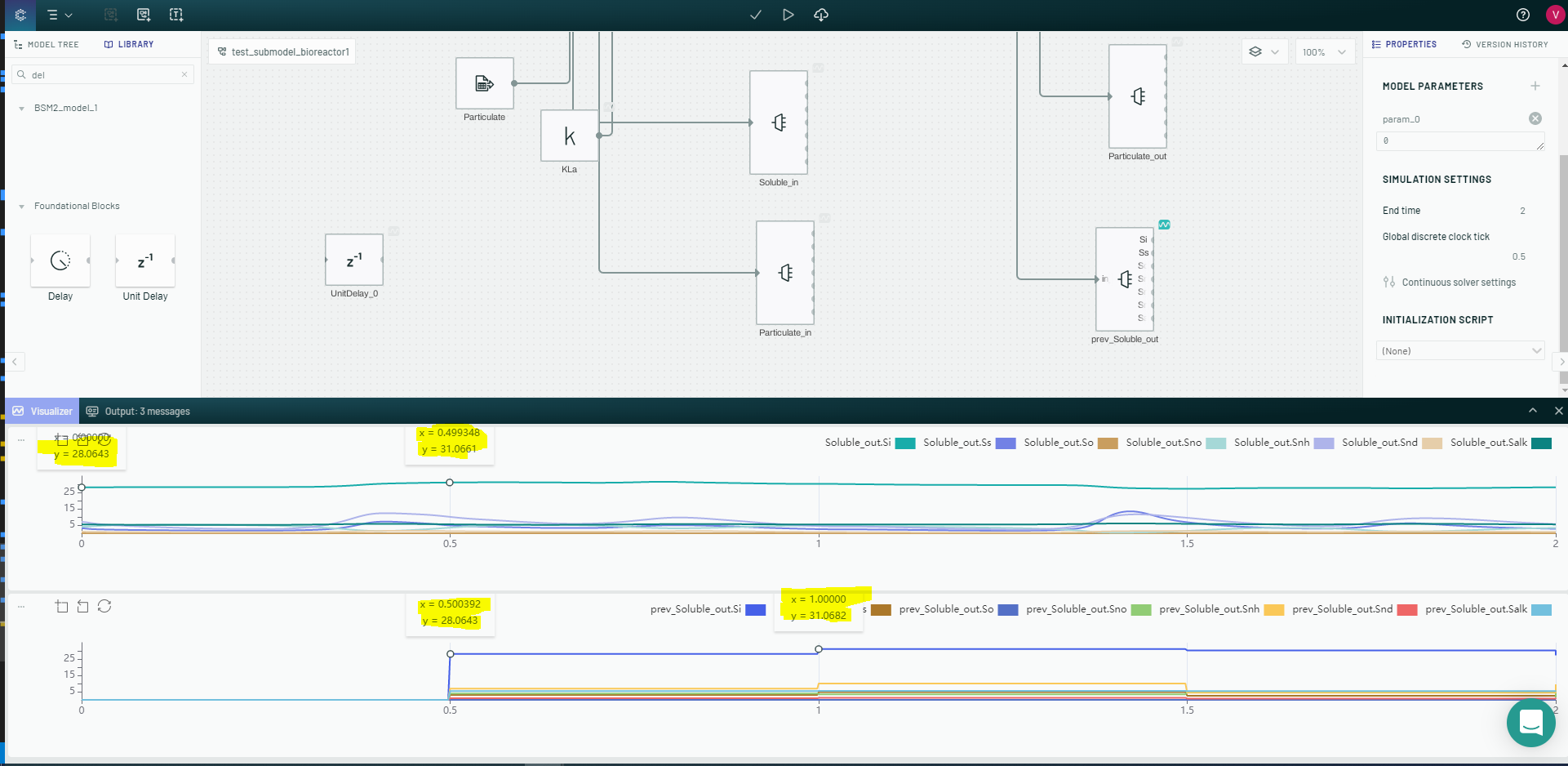
Unit Delay vs Integrator to delay the input
In biorector 3, 4, 5, the input KLa values were based on the oxygen concentration (So) ouput from bioreactor 4 cause we to have a algebraic loop problem.
To break an algebraic loop, the KLa has to be in output through unit delay before it can be used to for a calculation inside the bioreactor submodel. This method created a sawtooth output for So..etc
- So output:
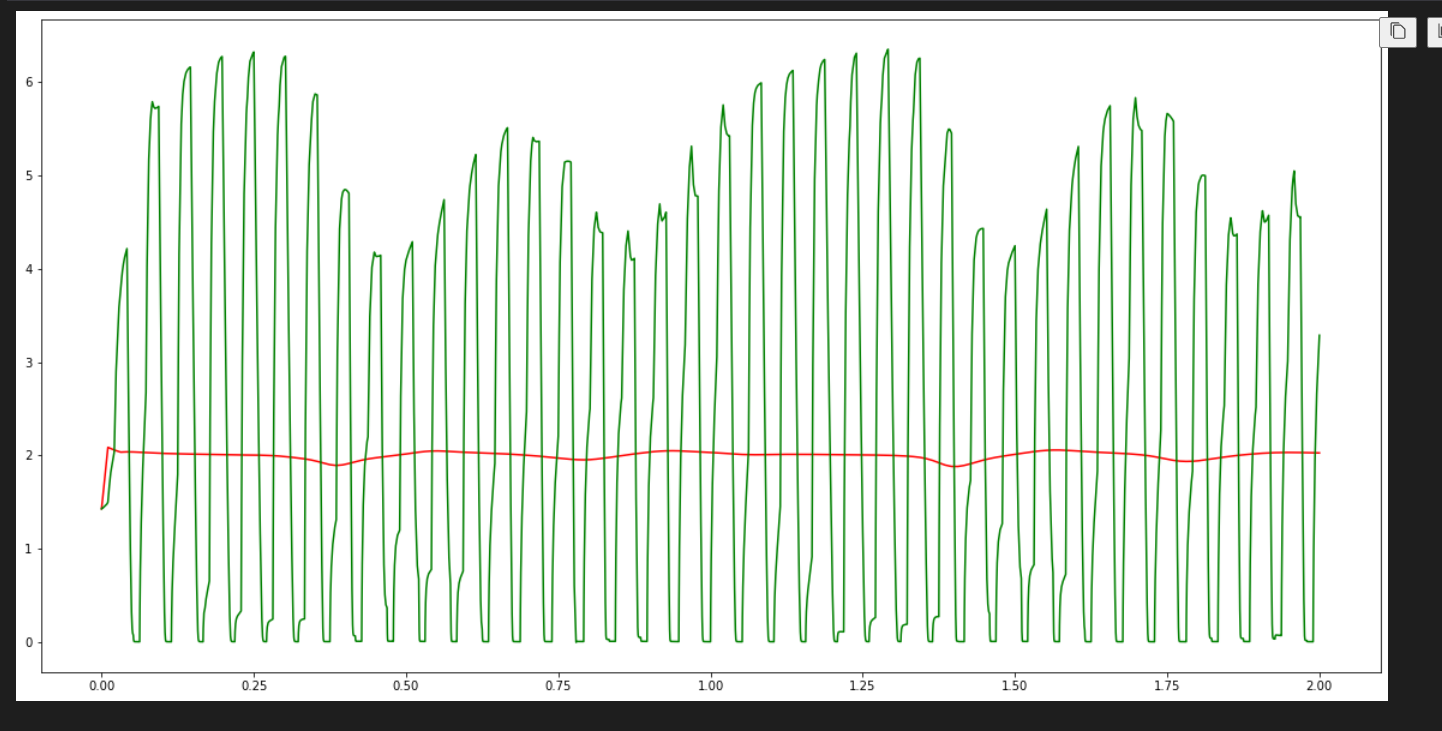
- So output:
When replacing the unit delay with an integrator block to break the algebraic loop, the output was unstable from time =0 to time = 0.5. However, the output became stable afterward, and the output was matched with the output from Matlab.
- So output:
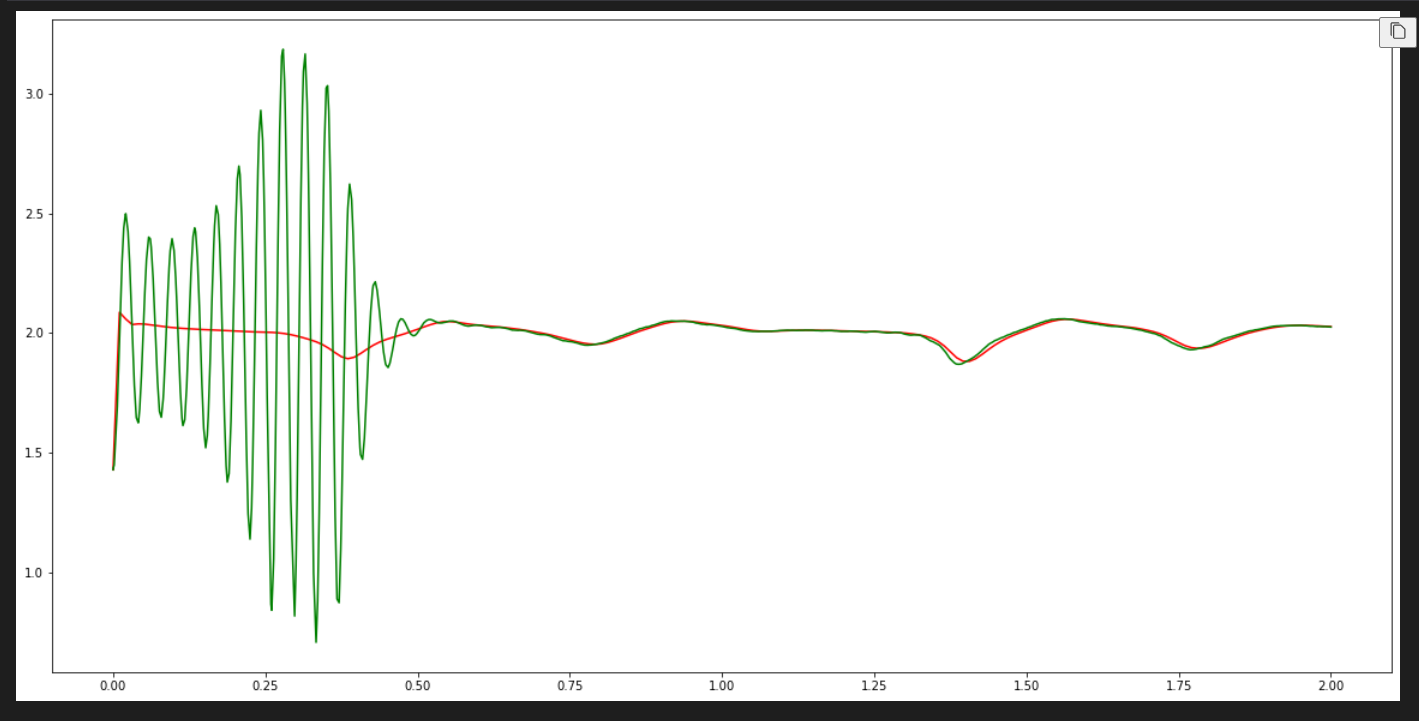
- Integrator block used to delay KLa input with time constance = 0.01:
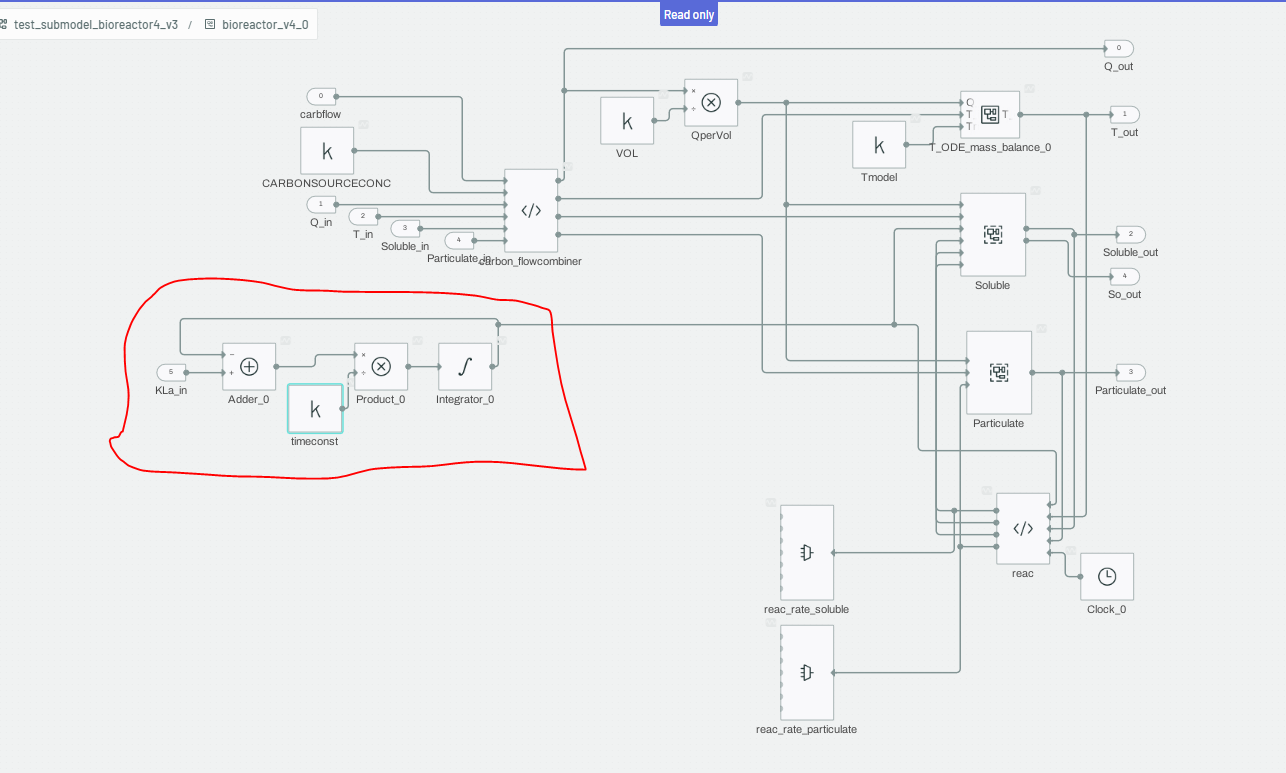
- So output: