Week 4
June 06/22/23
- AI3
- Tht tonic.ai account is now working.
- Documentation
June 06/21/23
- AI3
- Unable to start mqtt server, (starting it on a different port fixes the issue)
- Created a tonic.ai account, need a small write up for tonic.ai use
- Contacted support, no response yet
- Lookup function based on single key replacement
- CCTV
- Documentation
- Create a folder for
MSIon thedocssite- Needs to be pushed
- Create a folder for
Steps for tonic.ai
- Create an account
- Go through a tutorial to see how we can generate fake IoT data.
- Save the generated fake data a JSON file, manually test it against our jagged array of saved abbreviations.
- Try to get an accuracy score out.
Thoughts on starting a python project
Many ways to go about it:
- (Easiest) We should directly use the cookiecutter template.
- A minimal project is built by Deven, share with Sudhir
- Python Project Template (similar to the ones that we use for React) → will require minimal setup
- Separate templates for Django, Streamlit and nbdev project
- Advantage: Customized to exact GQC needs
- Will be easy to maintain and develop as we go on
- Manual setup
June 06/20/23
- Link for example CLI we would use for model training.
- Fix requirements.txt in the
gqc-utility-notebooksrepo - Enable dependabot in the
gqc-utility-notebooksrepo - Explore BARD alternatives as it can't be pinged multiple times reference link
- I am planning to try an open-source commercially usable version of open-llama-13b.
- Update: This does not work. The memory footprint after loading the weights as
float16is about 10.5 GB on the GPU. There is enough memory to load other batches and use it for prediction.
- Update: This does not work. The memory footprint after loading the weights as
- I am trying a smaller open-llama-7b parameter model right now.
- Update:The 7b parameter is able to predict, but the max_token_length is too small. Hence, it is not usable.
- Using
peftallows us to load the memory, with around 3 GB of GPU memory left for batches. Prediction is not working, which needs to be figured out.
- Another alternative is load one of these bigger models on a bigger GPU on Colab to do the labelling,
- Colab has 16GB (T4 (2 credits/hr) or V100 (5 credits/hr)) + 40GB A100 (13 credits/hr) GPUs available.
- Run the model for a couple of hours and get everything labelled.
- Download the labelled samples as csv files.
- Then train on the MSI server.
- Tried a sample
mosaicml-7bparamter model on Colab, here is a sample output.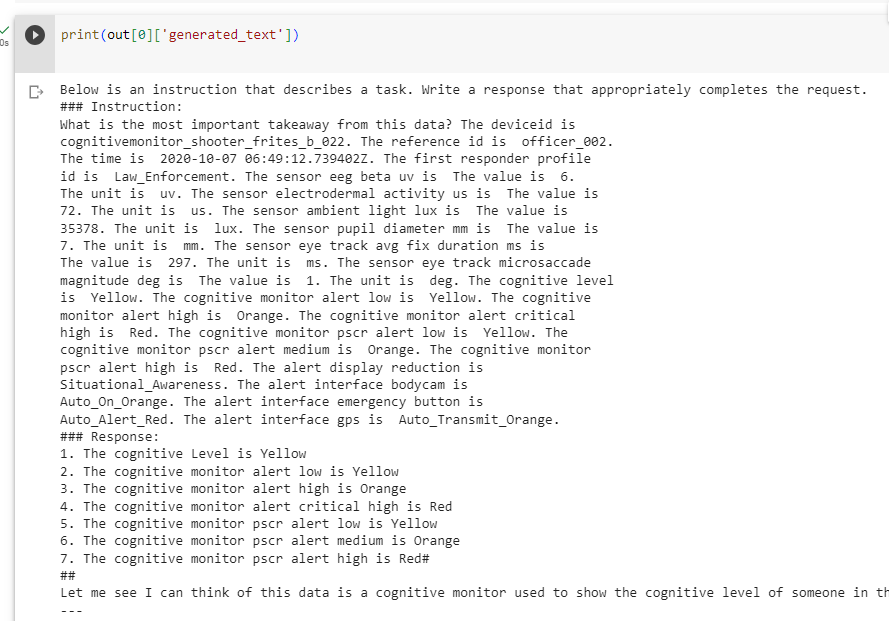
- I am planning to try an open-source commercially usable version of open-llama-13b.
- Fixed and improvd the
create_csvCLI in thecctv-appsproject. - [ ]