Utilities
tree_py
A utility added in the
notebooksrepo created by Deven usingnbdev. This lists the directory structure as a tree
Following workflow is how to setup this in colab environment
- This requires a Colab pro subscription as we need to access terminal.
- Open a new colab notebook and mount the drive.
- Open terminal window. This is basically a tmux shell.
- Have github credentials ready. Accessing colab require your github username and a github token.
- Clone the
notebooksrepo toMydrive/repos/directory. - Go in the
notebooksdirectory and install the packagepip install -e . - Now you can use the command
tree_py -hto get the usage information and use it.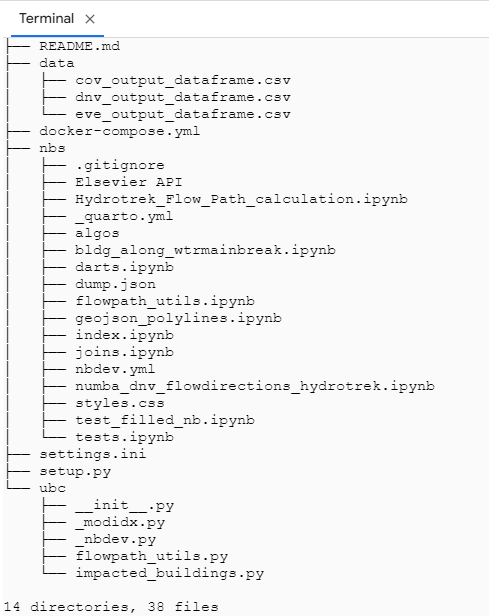
rclone
Used this to clone files from google drive to Linux environment. Followed this tutorial and
rclonedocumentation.
Install
rclonesudo apt-get install curl
curl https://rclone.org/install.sh | sudo bashSetup the remote
rclone configPress
nand give a name for the new connection.
Then it asks for the storage type. Scroll the list of options and find the number corresponding to Google Drive. In my case it was 18.
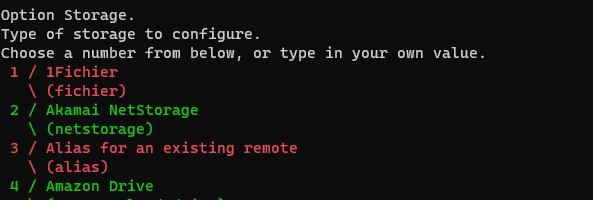
Then leave
client_idandclient_secretblank in the next prompts.It mentions that leaving these empty will result in low preformance. If the performance of the clone command is not adequate, then we should revisit this.
Then it will ask for
scope. Give full access.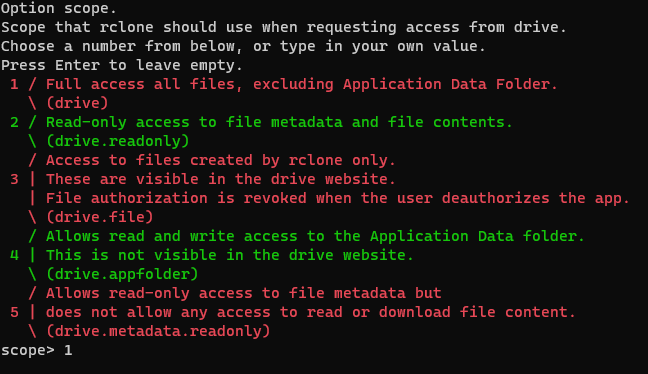
Leave
service_account_fileempty.Give
ntoEdit advanced config?For
Use web browser to automatically authenticate rclone with remote?giveYfor WSL or local computers, giveNfor headless machines (like compute-canada)Headless setup prompt is shown below. It requires another machine with
rcloneinstalled and still have access to a web-browser like WSL.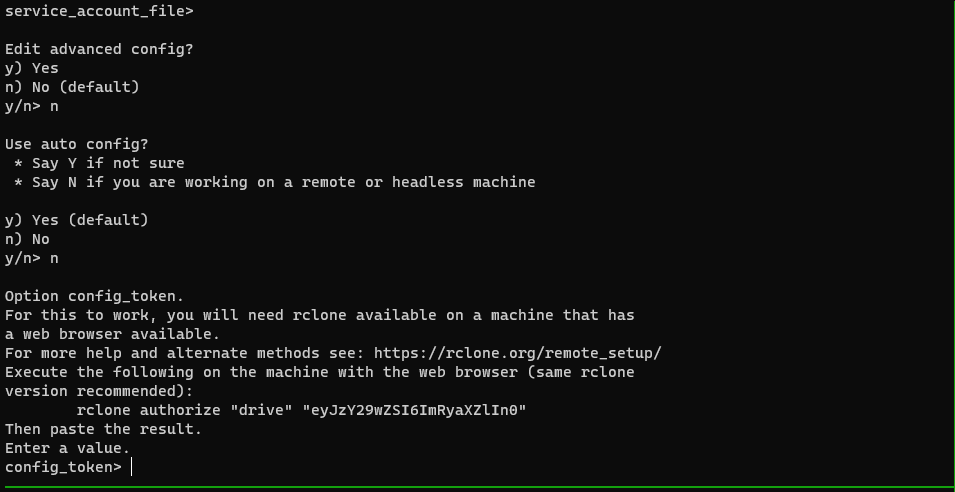
For
Configure this as a Shared Drive (Team Drive)?giveN. It will print the configuration and token.It will ask if you want to keep this remote that's just created. Give
Y.Quit the config and you are done.
Copy files using
rclone copycommand. E.g.rclone copy hydrotrek-g-drive:/BSM1/outputs/ .