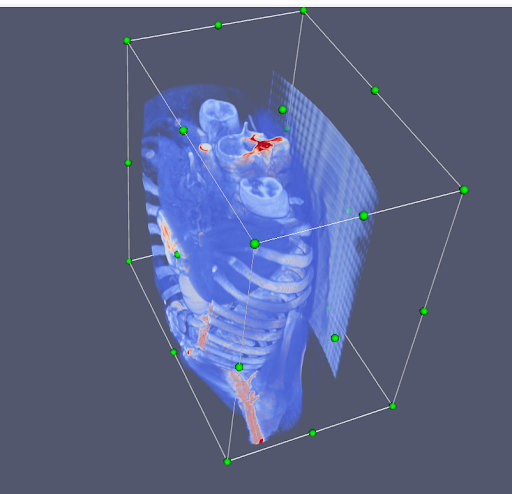
RKSPProjectOverviewToolsused
RKSP Project Overview and Tools used
Tools and Technologies Explored
1 MONAI SDK
Overview: Open-source framework built on PyTorch for developing AI models in healthcare imaging.
Resources: Tutorials and examples available on GitHub for various use cases, including DICOM to image conversion apps (GitHub) (MONAI) (MONAI).
2. 3D Slicer for MRI/CT Data
- Explored The 3D Slicer UI, imported MRI data, used the Segment Editor, Level Tracing, and Scissoring tools, constructed 3D models, and applied Gaussian and median smoothing.
Quick tutorial : 3D Slicer \ Resources : Initial exploration of CT data using 3D slicer
3. InVesalius
Details and Performance: Similar to 3D Slicer Excellent for creating detailed models; takes around 8 minutes to load DICOM data.
4. Medivis
Medivis provides technology that converts 2D medical images, like MRI and CT scans, into 3D holographic visualizations.
On-premise IT Deployment: Ensures patient data remains within the hospital firewall.
HIPAA Compliance: Seamless, secure PACS integration.
No Cloud Storage: No PHI stored on the cloud.
5. Weasis
Cross-Platform DICOM Viewer: Standalone and web-based viewer with a highly modular architecture.
Integration: Flexible integration with PACS, RIS, HIS, or PHR.
Performance: High-quality renderings with high performance through the OpenCV library.
6. Horos Project :
-Open-source medical image viewer for MacOS.
- 3D Reconstruction of CT Scans: Allows rotating and zooming, adjusting transparency, and interacting with the model tissue using the cursor to cut or remove tissue.
- Platform: Available for macOS only.
- Resources: For a brief tutorial, you can watch this video, and the source code is available on GitHub.
Deepdive analysis of The repository for the Horos project
7. VolView
VolView is a fast, lightweight radiological viewer supporting multiple DICOM options, with upcoming support for DICOM SEG and RTSTRUCT. It offers high-quality, interactive 3D cinematic volume renderings with presets, lighting adjustments, transparency control, cropping, and data interaction.
VolView requires no installation and runs entirely on the user's machine using local CPU, GPU, and disk resources, ensuring data security by keeping all data on the user's machine.
source code is available on Github
Libraries and Tools Implementation
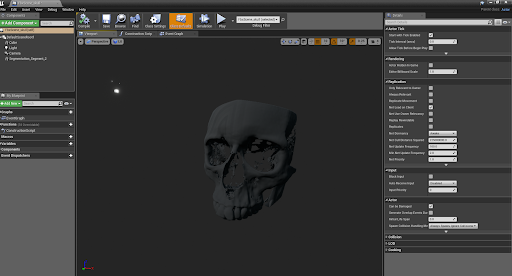
Used 3D slicer to Produce a 3D volume mesh of the CT scan outputs in STL format
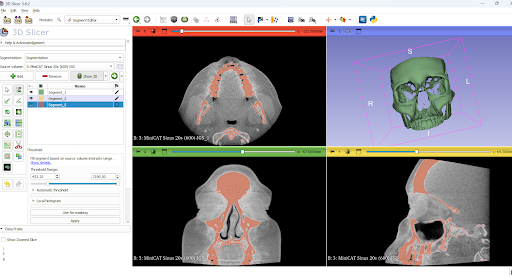
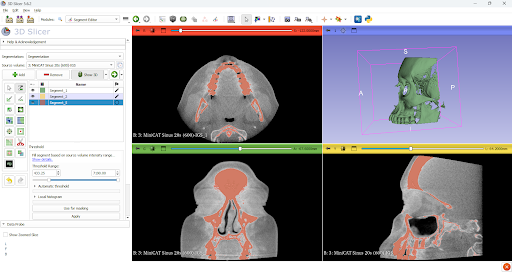
STL to FBX Conversion for Unreal Engine
Blender: Smoothed out rough edges and valleys in STL files before exporting to FBX format.
Performance Notes : Blender : Swift handling of STL files.
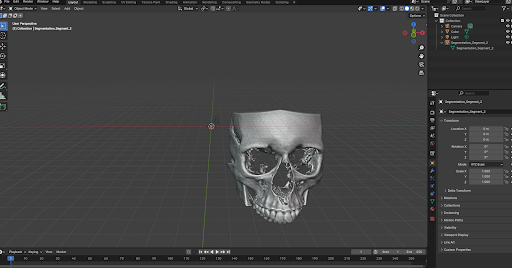
- Unreal Engine : Takes 10-12 minutes to load FBX files.
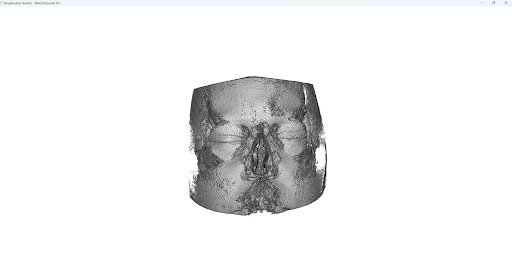
Dicom to 3D Using ITK and VTK using python libraries
Loaded DICOM images into a 3D volume using SimpleITK, resampled to new size and spacing, applied a binary threshold to highlight relevant voxels, cropped to a specific region, and rendered the volume with VTK for visualization.
VTK.js
VTK.js: Utilized for developing a web-based app
Examples Worked On:
standalone.html: Renders a cone.
src/cone.js: Renders a cone using a webpack build approach.
src/cone-filter.js: Demonstrates VTK.js filters.
src/volume.js: Demonstrates basic volume rendering without transfer functions.
src/volume-transfer.js: Demonstrates basic volume rendering with transfer functions.
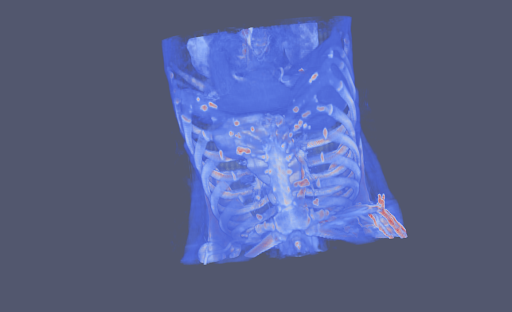
src/image-slicing.js: Demonstrates volume slicing and interaction.
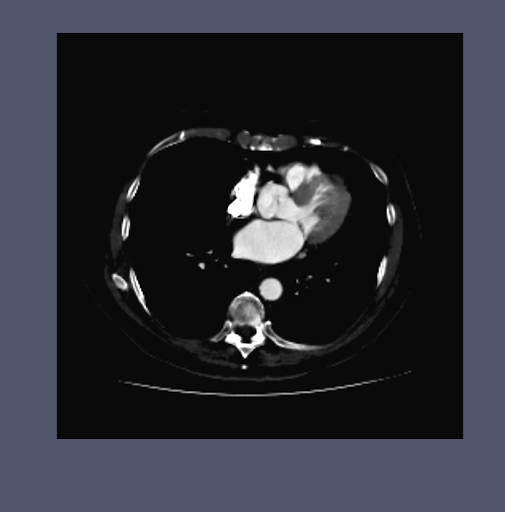
src/widgets.js: Demonstrates a volume cropping widget.