Automating Semantic Versioning Releases
I decided to write these notes for making releases of React apps, though
it should be noted that this should work for any JavaScript/Node code that
utilizes a package.json file.
The following screenshot shows JS project additions used to semi-automate the Semantic Versioning release process:
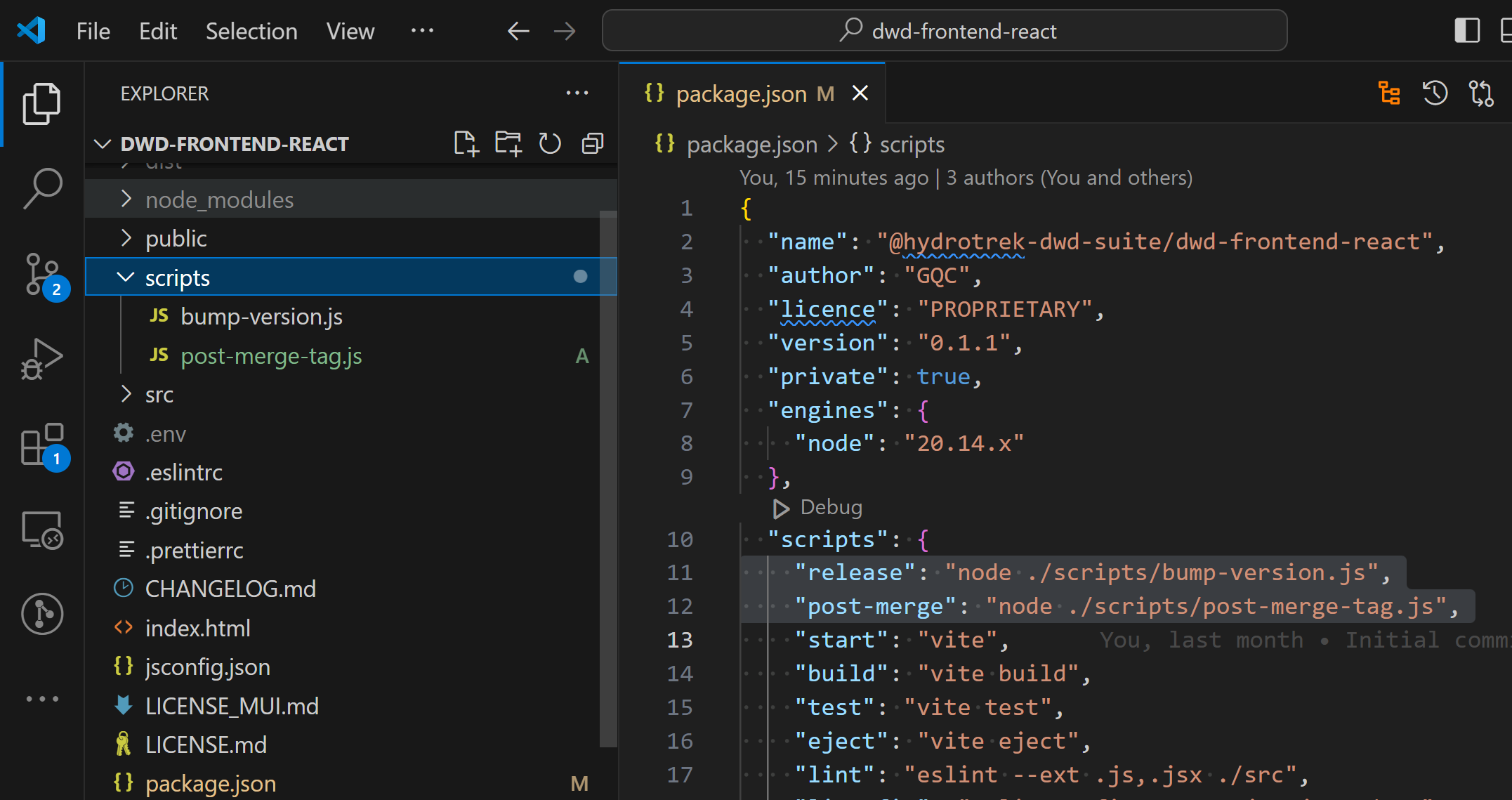
Use the Automation Scripts when Making a Release
You are "making a release" when you are at a good point to merge code from the
dev branch into master.
These merges should always be done via Pull Requests
When you're ready to make a release, follow these steps:
Commit and push all of the relevant code to the
devbranch.Decide what kind of version change this is: Major (large changes, like language version upgrades or version-breaking package upgrades), Minor (new features, non-breaking upgrades), Patch (changes, bug fixes, etc.)
Run the
releasescript with the following command (specifying major/minor/patch):yarn release patchOpen a Pull Request (PR) on GitHub to merge the most recent state of
devintomaster.Have someone review the PR.
After the PR is accepted and merged, you (or the reviewer) can run the post-merge script with the command:
yarn post-merge
Add Automation to a new JS Project
Install semver with the following command:
yarn add --dev semverUnder the repository's root directory, add a
scriptsfolder if one doesn't exist.Create a new file under the
scriptsdirectory calledbump-version.jswith the following content:const fs = require('fs');
const execSync = require('child_process').execSync;
const semver = require('semver');
const packageJson = require('../package.json');
// Get the current version
const currentVersion = packageJson.version;
// Get the type of version bump (major, minor, patch) from the command line arguments
const bumpType = process.argv[2];
if (!['major', 'minor', 'patch'].includes(bumpType)) {
console.error('Please specify the version type: major, minor, or patch');
process.exit(1);
}
// Calculate the new version
const newVersion = semver.inc(currentVersion, bumpType);
console.log(`Bumping version from ${currentVersion} to ${newVersion}`);
// Update the version in package.json
packageJson.version = newVersion;
fs.writeFileSync('./package.json', JSON.stringify(packageJson, null, 2) + '\n');
// Commit and tag the new version
execSync(`git add package.json`, { stdio: 'inherit' });
execSync(`git commit -m "chore(release): ${newVersion}"`, { stdio: 'inherit' });
execSync(`git tag v${newVersion}`, { stdio: 'inherit' });
execSync(`git push --follow-tags`, { stdio: 'inherit' });
console.log(`Successfully released version ${newVersion}`);Add a line to the
scripts:section of the package.json with the following content:"release": "node ./scripts/bump-version.js",Create a new file under the
scriptsdirectory calledpost-merge-tag.jswith the following content:const { execSync } = require('child_process');
const fs = require('fs');
const semver = require('semver');
// Function to execute a shell command and display output
const runCommand = (command) => {
try {
execSync(command, { stdio: 'inherit' });
} catch (error) {
console.error(`Failed to execute command: ${command}`);
process.exit(1);
}
};
// Read version from package.json
const packageJson = JSON.parse(fs.readFileSync('./package.json', 'utf8'));
const version = packageJson.version;
// Validate the version using semver
if (!semver.valid(version)) {
console.error('Invalid version in package.json');
process.exit(1);
}
// Pull latest changes from the current branch
runCommand('git pull');
// Checkout master branch
runCommand('git checkout master');
// Pull latest changes from master
runCommand('git pull');
// Push the corresponding version tag (e.g., vX.Y.Z)
runCommand(`git push origin v${version}`);
console.log(`Successfully pushed tag v${version} to origin`);Add a line to the
scripts:section of the package.json with the following content:"post-merge": "node ./scripts/post-merge-tag.js",